The Publishing Times
All the News That’s Fit to Publish
publishing-tools · Guides
Hugh Howey Releases NEO, a Free Open-Source Writing App for Novelists
The Wool author has released NEO, a free, MIT-licensed word processor for Mac, Windows and Linux that opens on a bookshelf, saves plain local files and exports KDP-ready EPUBs.
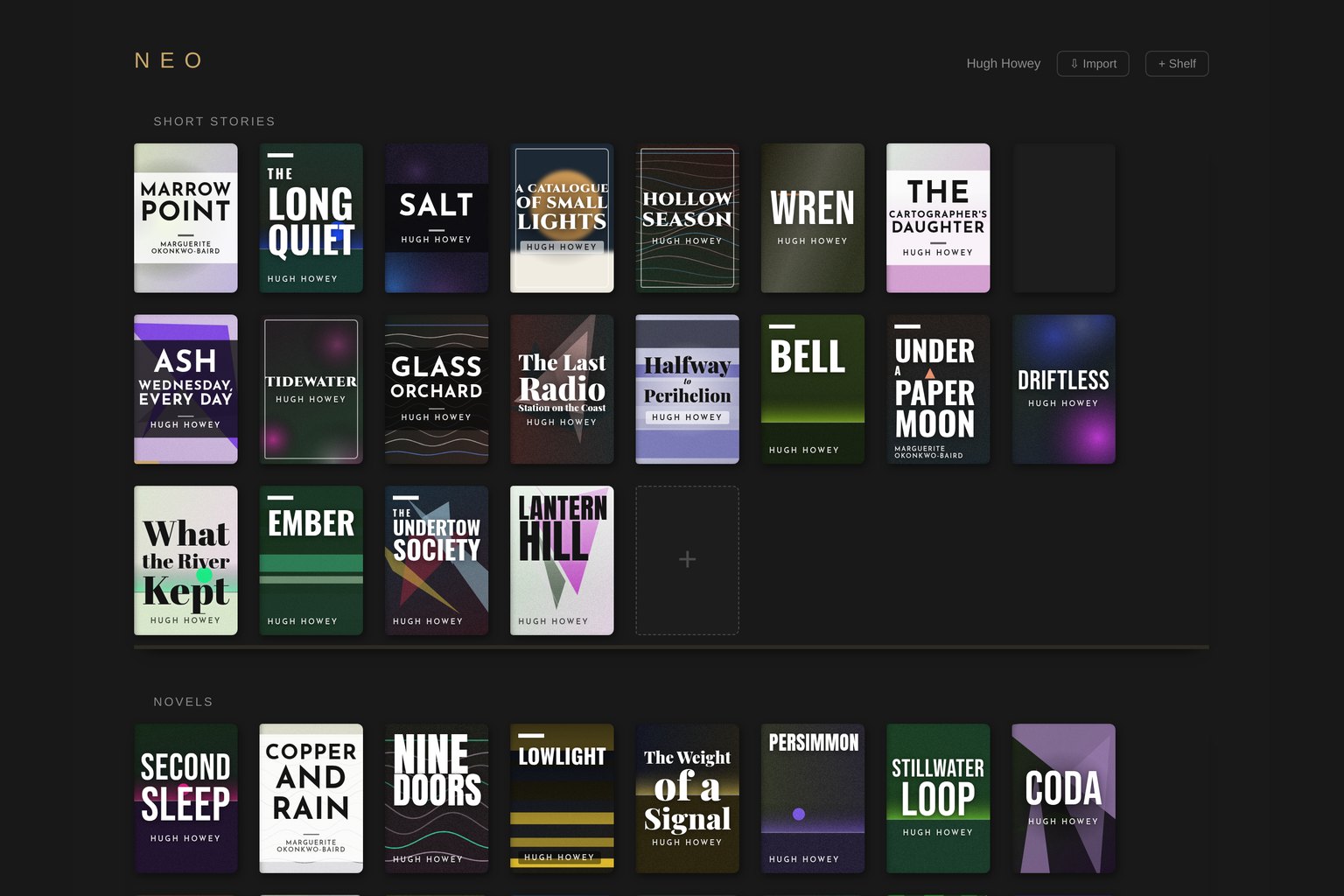
What is NEO? NEO is a free word processor for writing novels, built by Hugh Howey, the author of Wool and the Silo series. He walked through it in a launch video on his YouTube channel on September 25, 2026. NEO runs on Mac, Windows and Linux. It needs no account and no subscription, and it keeps manuscripts on the writer's own computer rather than in a cloud service. The source code is on GitHub under the MIT license.
Image from the NEO project's GitHub repository.
What it does
In the video, Howey says he built NEO to help him finish his own books. His download page describes it as a distraction-free app "built by a working novelist for novelists." The main features, as shown in the video and listed in the README:
- A bookshelf instead of a file list. Projects sit on labeled shelves that you can arrange by series, status or pen name, and books can be dragged around. Every new book gets a generated abstract cover with its title set in type. Writers can also add their own art. If you set a word goal, a thin progress bar shows on the cover. Each pen name gets its own shelf.
- Enter, Enter, Enter. One press of Enter starts a new paragraph, two insert a scene break, and three start a new chapter. Chapters number and renumber themselves.
- No spellcheck while drafting. Spelling is only checked when the writer asks for it with a shortcut. Curly quotes, em dashes and ellipses are fixed automatically as you type.
- Placeholders and "Darlings." A shortcut drops a flagged note where a name or fact is still missing. Passages you cut can be dragged to a Darlings tab and restored to the exact spot later.
- An outline for plotters. Outline sections show up in the manuscript as gray "ghost" paragraphs that turn into prose once you type over them.
- Goals and sprints. Daily and whole-book word goals, timed word sprints, and a 30-day progress chart.
- Exports. EPUB 3 with a table of contents that the README says is built to Kindle Direct Publishing's guidelines, plus Word (.docx), PDF, HTML, Markdown and plain text. Word, text and Markdown manuscripts can be imported, and NEO detects their chapters and scene breaks.
- Optional AI cover sketches. Once a story passes 1,000 words, NEO can paint a cover from the text using the writer's own OpenAI API key. Howey says these images are meant as inspiration on the shelf and are not exported, and the title and author are always set in real type rather than drawn by the image model.
Where the files live
NEO saves as you type into a folder called NEO Library in the user's Documents folder. Each book gets its own folder, chapters are stored as readable HTML files, and metadata is stored as JSON. The README says NEO zips a daily backup and keeps two weeks of them. A shortcut emails the writer a timestamped PDF of the manuscript along with a SHA-256 fingerprint of the text.
Price, license and platforms
NEO is free, and the code uses the MIT license, which allows reuse and modification. According to GitHub's releases page, the latest desktop version is 0.7.9, published September 24 (Pacific time). It comes in Apple silicon and Intel builds for Mac, an installer and a portable build for Windows, and an AppImage for Linux. The app is written in JavaScript on Electron. An Android companion called NEO Pocket is available as a pre-release build in the same repository.
The repository was created on August 7, 2026, and had more than 480 stars on GitHub by Friday evening.
What authors should know
- It's early software. The version number is still below 1.0. The README says the import feature is "still a bit rough" and that the goals feature needs more testing.
- Expect a Windows warning. In the video, Howey says Windows may show a "Windows protected your PC" screen for apps from independent developers. The Mac build is signed and notarized by Apple.
- Check any EPUB before you publish. KDP accepts EPUB uploads. Whatever tool made the file, preview it with Amazon's Kindle Previewer before you release a book.
- It's a drafting tool by design. The README tells writers who want a more complex app to try Scrivener. The roadmap lists chapter version history, a manuscript format for agent submissions, and shared end matter across books as things Howey may add.
Desk takeaway
NEO is a no-cost, local-first option for writers who want to get a first draft down without a subscription or a cloud account, and its open license lets other developers build on it. In the video description, Howey asks one thing of people who download it: finish the book they have been meaning to write.
Sources
- Hugh Howey on YouTube: NEO - A Writing Tool for Authors (September 25, 2026)
- Hugh Howey: NEO download page
- GitHub: hughhowey/neo repository and README
- GitHub: NEO license (MIT)
- GitHub: NEO releases
- KDP Help: Kindle Previewer